LOD / Streaming
How fine the tiles are, how fast they come in, and which camera decides
The LOD / Streaming panel decides three things: which view the tiles are selected for, how detailed they get, and how fast they are brought into Blender.
Stream for: which camera decides
| Stream for | Tiles are selected for |
|---|---|
| 3D viewport (default) | The view you navigate in. |
| Scene camera | The active scene camera, at the render resolution. |
| Chosen camera | A camera object you pick in the field below. |
With a camera selected, the viewport is free: orbit, step back, and look at what that camera pulls in. Tiles refine inside its view and stay coarse, or are not loaded at all, outside of it. Move the camera, or scrub the timeline when it is animated, and the tiles follow.
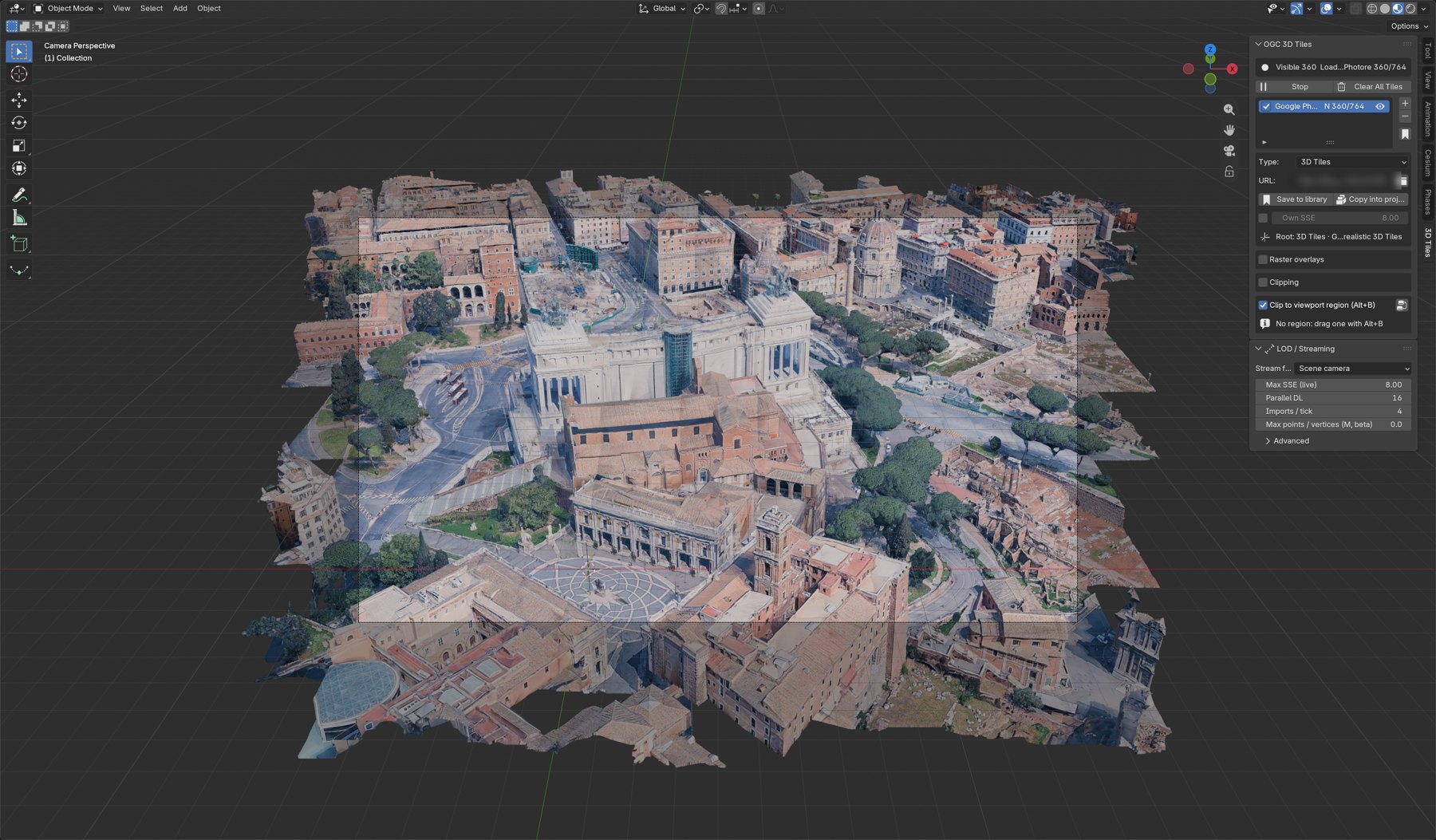
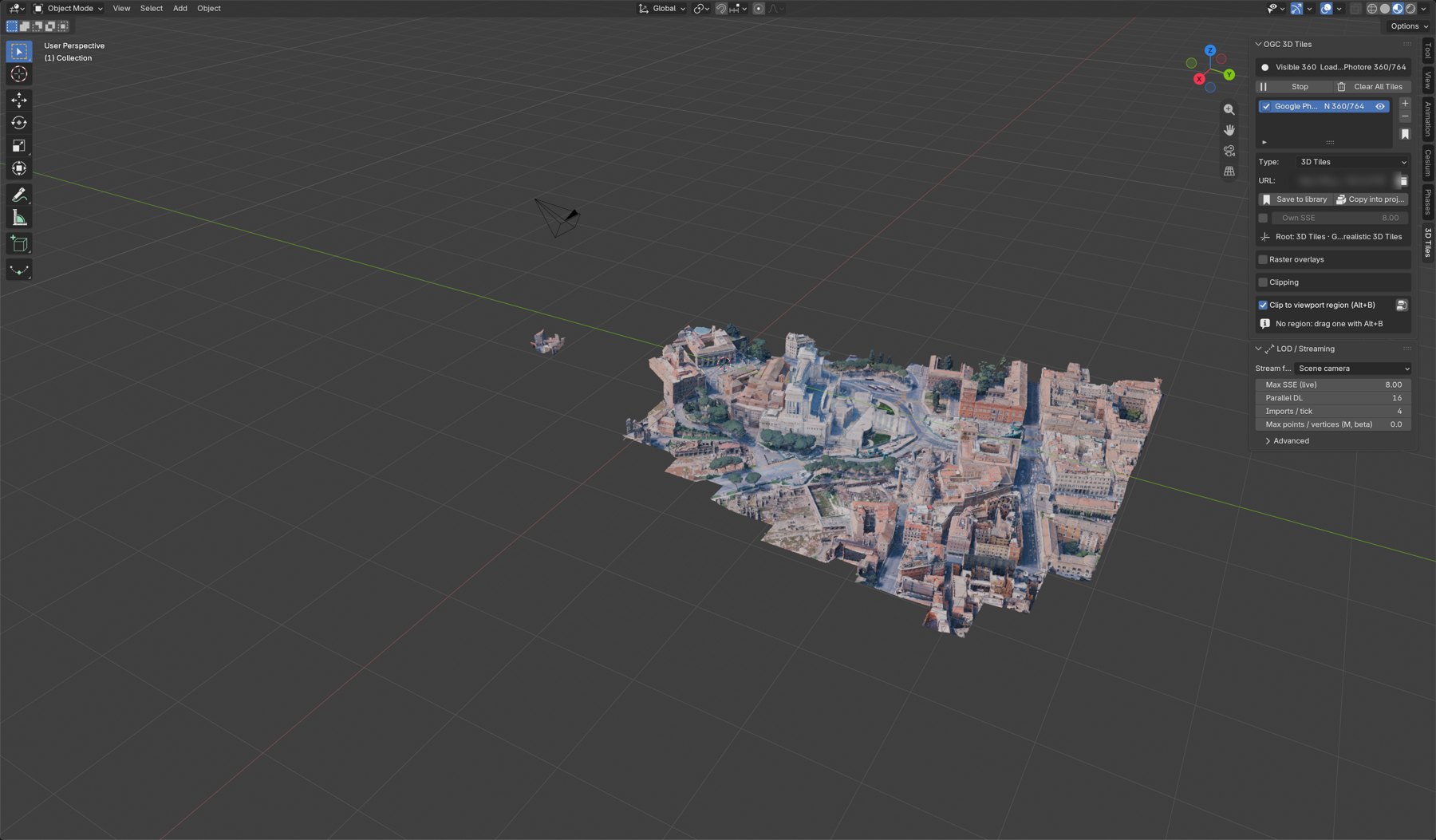
- Looking through the camera (Numpad 0) shows what a render will contain.
- Looking from outside shows how far the selection reaches and where detail stops. It is the way to check a shot before a long render, or to understand why a view is heavy.
- To freeze what is loaded while you look around, untick the tileset's checkbox in the list.
Panoramic cameras
A panoramic camera (Cycles: equirectangular, fisheye, central cylindrical, cube map face) works as Scene camera or Chosen camera. Tiles are selected all around it, as six 90° views of a cube, and each view gets the panorama's own resolution: an equirectangular render 4096 × 2048 has 1024 px per quarter turn, so tiles are as fine as the render needs at the horizon; a square one (1920 × 1920) is finer vertically and gets 960 px. Fisheye cameras skip the cube faces outside their field of view: a 180° fisheye uses five. Detail close to the camera comes in refinement steps, the finest last: on Notre-Dame with Google tiles, two minutes for the full set, the tower tops in the last step. Wait for the loading count to settle before rendering. EEVEE does not render panoramic cameras; Cycles does.
Max SSE: how fine
A tileset is a pyramid: a few coarse tiles at the top, and under each tile finer ones that replace it. Every tile declares its geometric error: how far, in metres, it is from the real shape.
Seen from a distance, that error covers a number of pixels on screen: the screen-space error (SSE). A tile whose error covers more pixels than Max SSE is replaced by its finer children; one under it is fine enough and stays.
| Max SSE | Result |
|---|---|
| 2 to 4 | Very fine. Many more tiles, more memory, slower. |
| 8 (default) | A good balance for meshes. |
| 16 to 32 | Coarse and fast: far views, heavy point clouds, slow connections. |
- The setting is live: change it and tiles are re-selected at once.
- Because it is measured in pixels, a larger window or a higher render resolution loads more.
- What a value looks like depends on the tileset and on the tool that made it, since each tool declares its errors its own way. Tick Own SSE on a tileset entry to give it its own value.
- To see the levels on screen, colour the tiles by tile level or tile error in Nodes: Metadata.
Parallel DL and Imports / tick: how fast
- Parallel DL (16 by default): how many tiles are downloaded at the same time. Raise it on a fast connection, lower it if a server refuses requests.
- Imports / tick (4 by default): how many downloaded tiles become Blender objects at each step of the streaming loop. Building objects happens on Blender's main thread, the one that also draws the interface. Higher fills the view faster but makes navigation stutter while tiles pour in; lower keeps the interface smooth and fills more slowly.
Max points / vertices (beta)
A ceiling, in millions, on what is shown across all tilesets. Over it, every tileset is streamed coarser until the view fits, and the panel shows by how much (SSE x1.50). Detail returns when there is room. 0, the default, means no ceiling. The coarsest tiles of a tileset are always shown, so a ceiling below their size cannot be met.
Advanced
- cesium-native cache MB: memory for tiles that are loaded but no longer shown, so that coming back to a view is instant. It is not a ceiling on what is shown: tiles in view are never dropped.
- With the pure Python backend: Max Tiles, Foveation cone, Edge SSE relax, Detail falloff and Max distance.
- Build time while navigating, the disk cache, and statistics per tileset.