Nodes: Geometry
One Geometry Nodes graph on every tile, and the point display
Shared geometry nodes
Tick Shared geometry nodes to put one Geometry Nodes modifier on every tile, those loaded and those that stream in later. A single graph then edits the vertices, edges or attributes of all tiles: displace them, scatter objects on them, turn a mesh into points.
- The group,
OGC3D Tile Geometry, starts empty: it passes the geometry through unchanged. - The node button opens it in a node editor.
- Untick to take the modifier off every tile. The group stays in the file for the next time.
It is first in each tile's modifier stack, so the point display below runs after it.
A modifier is evaluated per tile, and tiles come and go as you move. Light graphs are fine; heavy ones (subdivision, remeshing, booleans) on hundreds of tiles will slow streaming down.
Demo graphs
Demo graphs, under the row, replaces the shared group with a ready-made graph, on every tile. They are starting points to open and edit; the Value nodes at the left of each graph are its settings.
| Demo | What it does |
|---|---|
| Suzanne on points | A monkey head on a share of the vertices, or of the points of a point cloud. |
| Noise displacement | Vertices move along their normal with a noise that drifts over time. Press Play. |
| Height reveal | The scene builds up from the ground, over and over. Press Play. |
Reset to default, in the arrow menu of the row, takes a demo off.
Point display
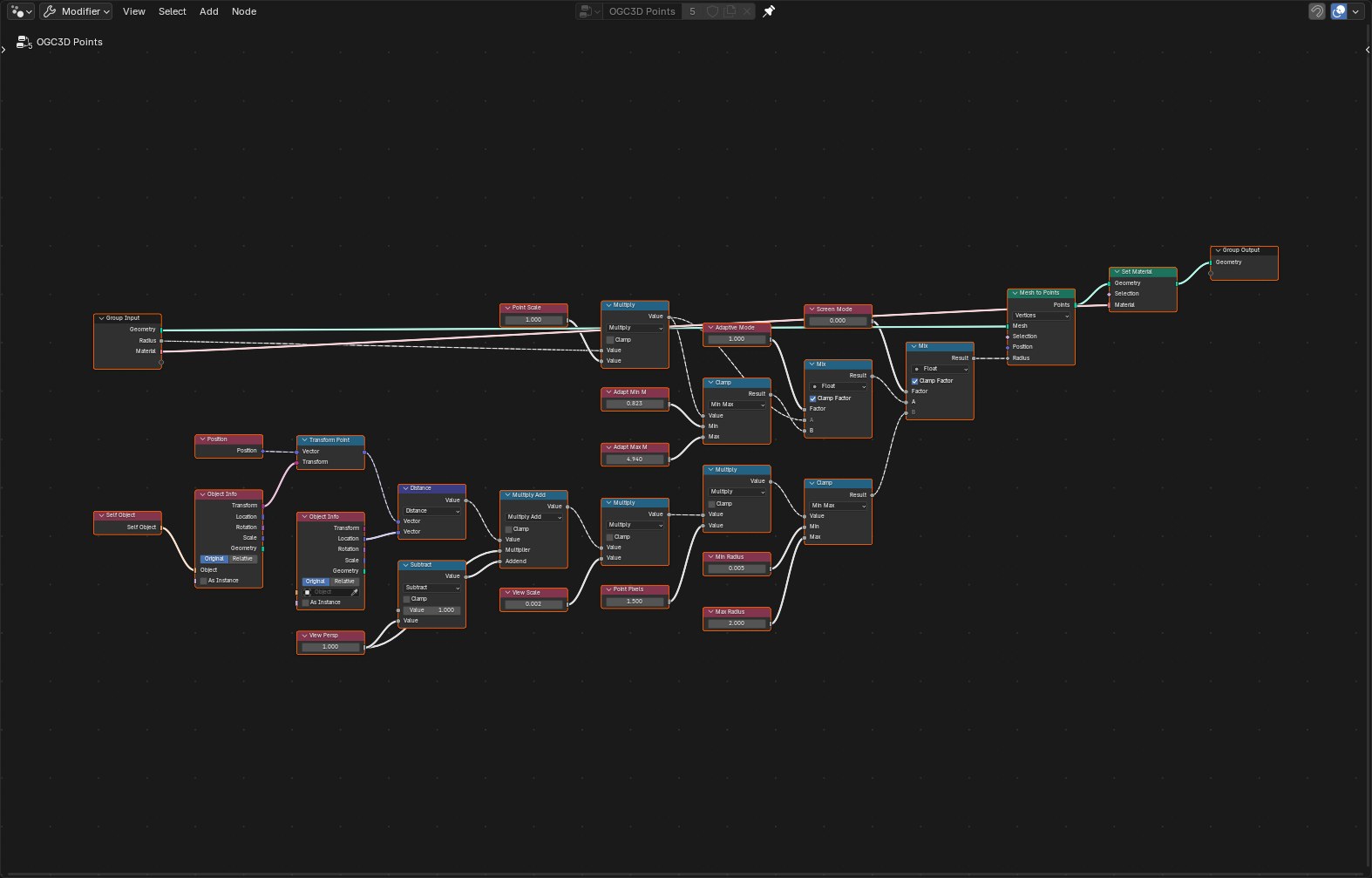
Point tiles are drawn by a geometry nodes group of their own, OGC3D Points, which runs after the
shared one. Point clouds describes its settings.
Relation lines
Hide relation lines turns off the dashed object-to-parent lines in every 3D viewport. Each tile is parented to its tileset's root, so those lines would otherwise fill the view.